AI mediator app · Product design, system architecture, design system · Live on the App Store · 2025
Published July 30th, 2026 · 7 min read
CallForMe makes phone calls for people who dread them: someone disputing a bill in a language they are still not comfortable arguing in. An AI does the call. The hard part was never whether it could dial, it was whether the person would trust it to speak for them.
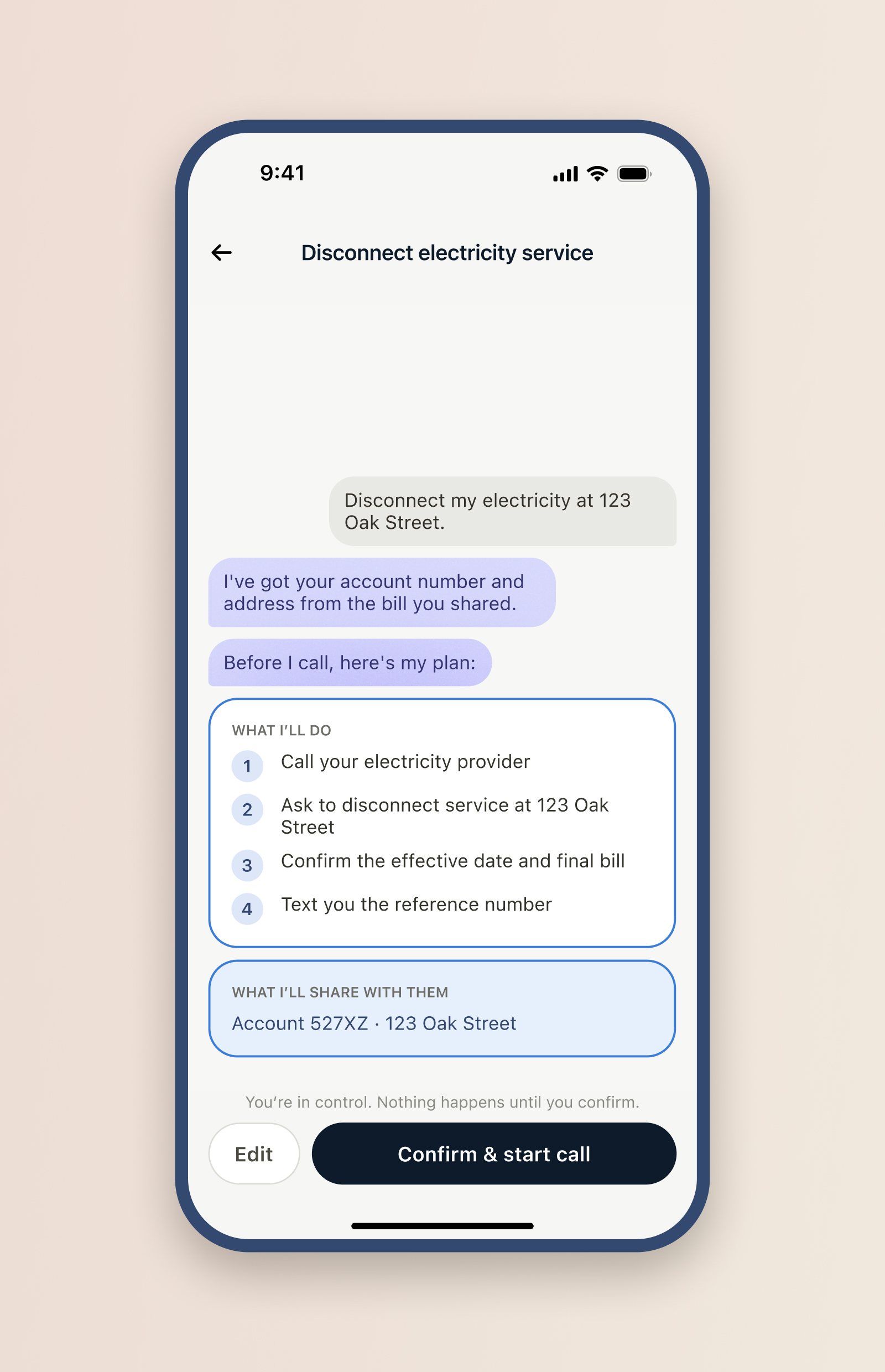
I made one question the spine of the product: whose move is it? Status got rebuilt around who each task waits on, the go-ahead became a first-class "Ready to call" gate inside the chat, and the agent got its own colour so the screen never blurs who is acting.
The app shipped from nothing to a live product on the Apple App Store, built with a team of senior engineers. Oversight stopped being a setting and became the shape of the interface. When an AI can do the task, the design problem is no longer the task, it is keeping the person in charge of it.
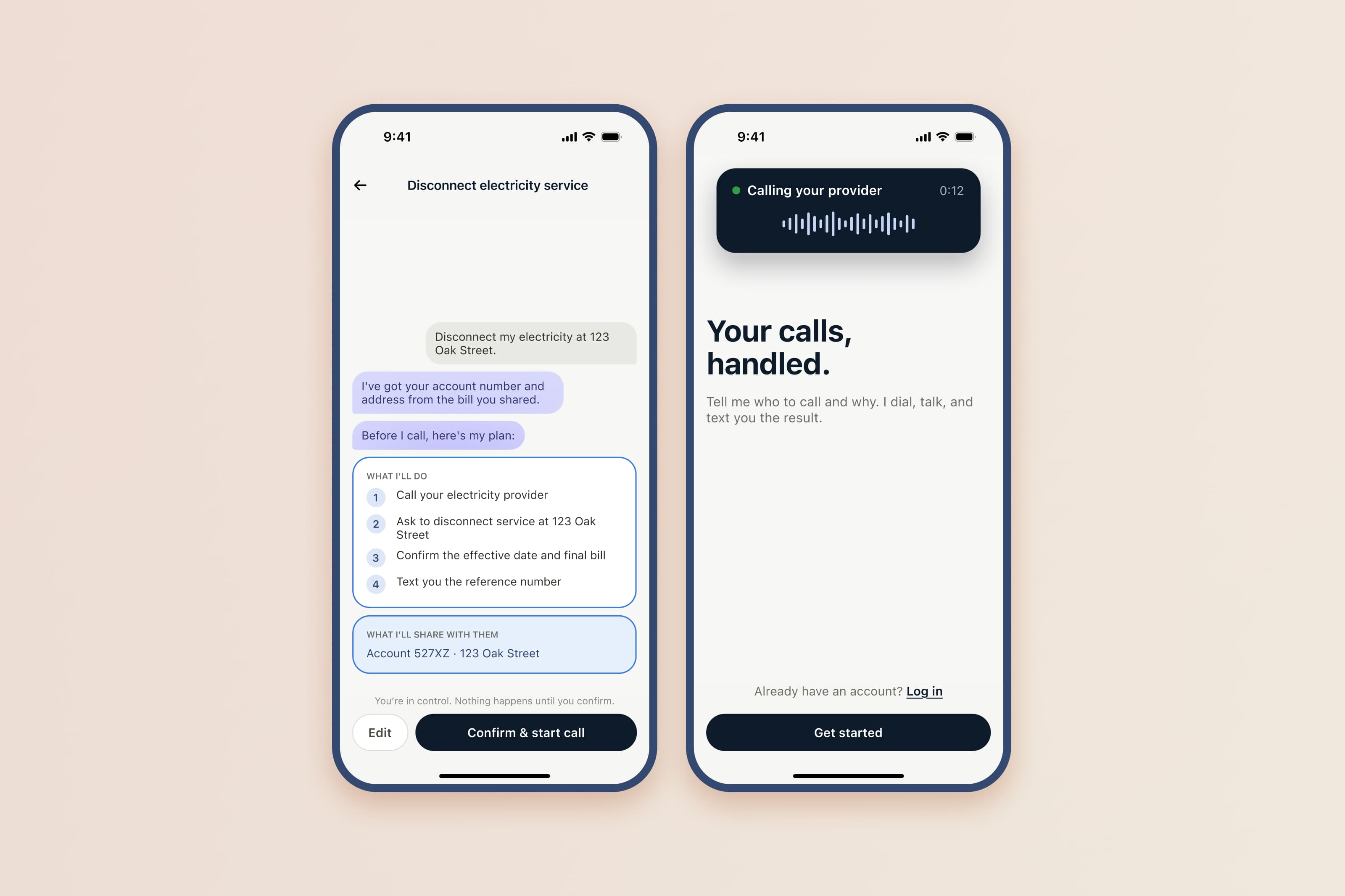
Picture someone who runs their whole life in English until the moment they have to phone a provider and argue a charge back down. The words they need are the ones that desert them on the spot, with a queue, a script, and a stranger on the other end. That is who CallForMe is for: capable, independent people, often first-generation immigrants, who hit a wall the moment a task turns into a phone negotiation in a second language. They describe what they want, hand it over, and wait for the result.
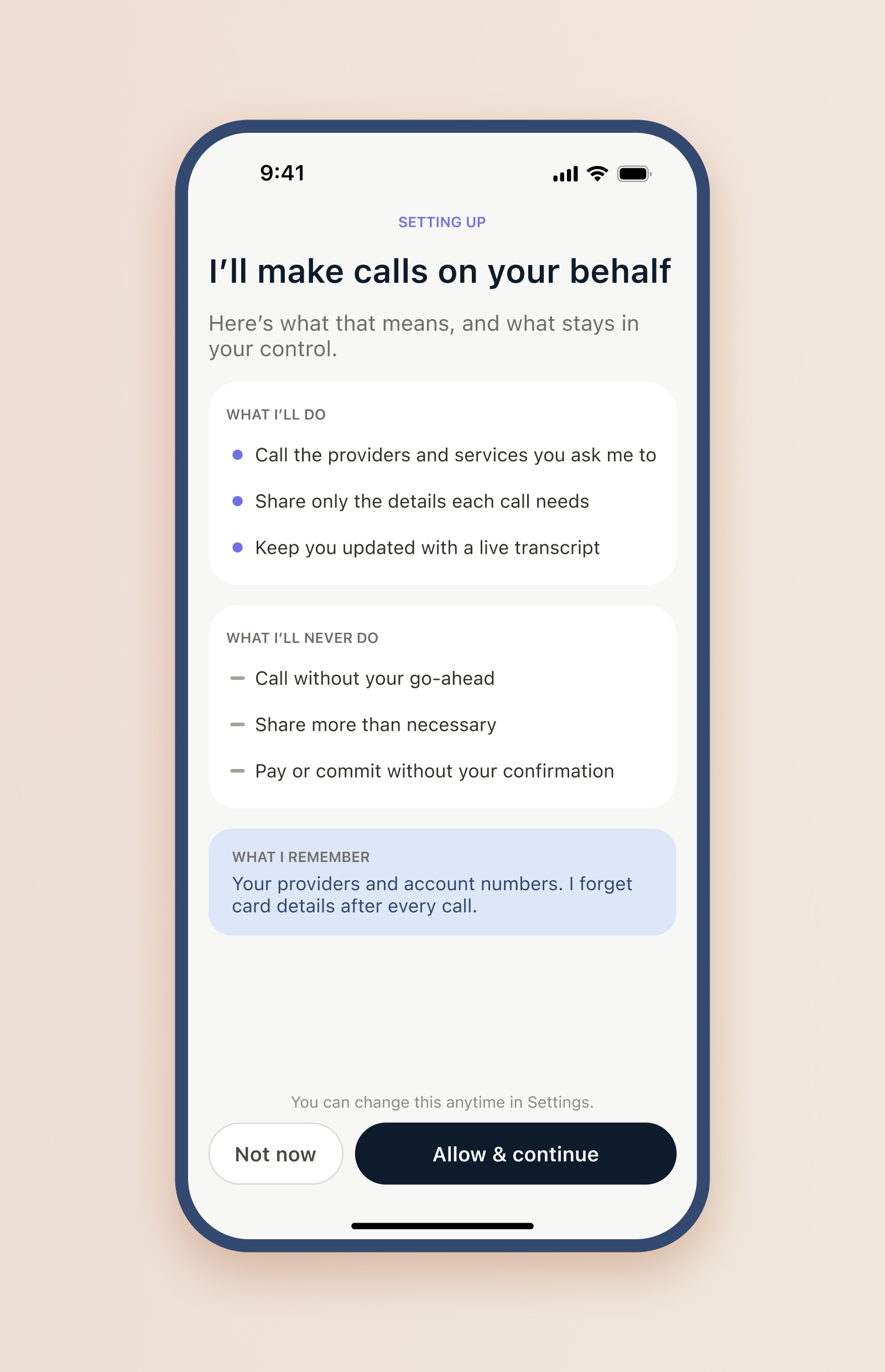
Which puts the product in a specific place. The agent does the work, the person oversees it. In the Shape of AI language, a Governors and Trust builders pattern. If the agent gets ahead of the person, dials before they meant it to, or shares the wrong detail, the cost is real and it is theirs. So my job was to make oversight cost nothing, so at any moment you can glance at the app and know where things stand without being taught how.
I designed CallForMe end to end and took it from nothing to a live app on the App Store, alongside a team of senior engineers. That last part mattered: the design had to survive contact with how a real-time calling agent is actually built, not just look right in a frame.
The first version of status was a flat list of coloured labels: scheduled, in progress, done, failed. It technically worked and it told you nothing. Nothing on the screen answered the only thing a person delegating a task actually wants to know.
The reframe that unlocked the product was small. Every task is always waiting on someone. The real job of a status is to say whose move it is.
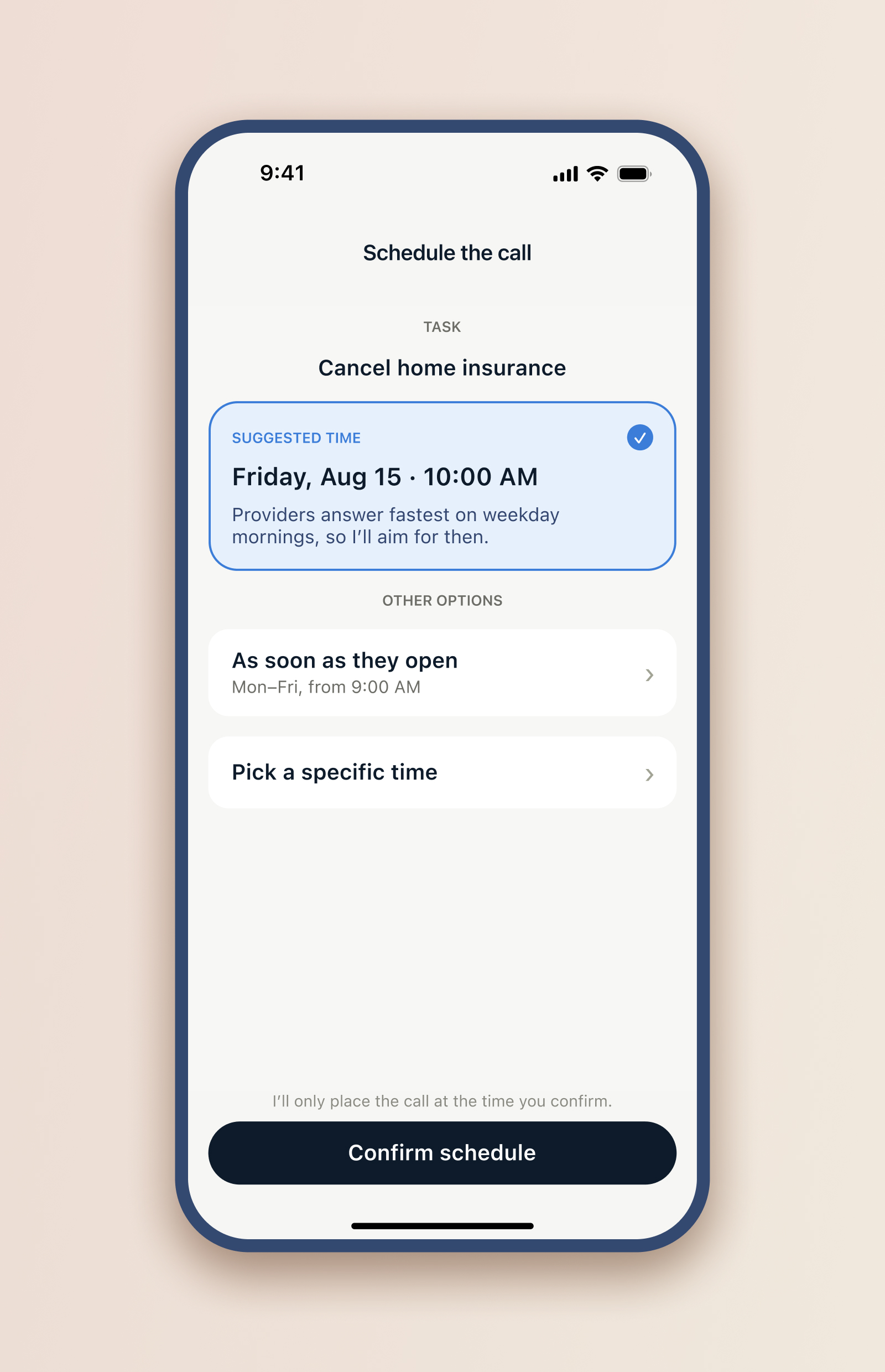
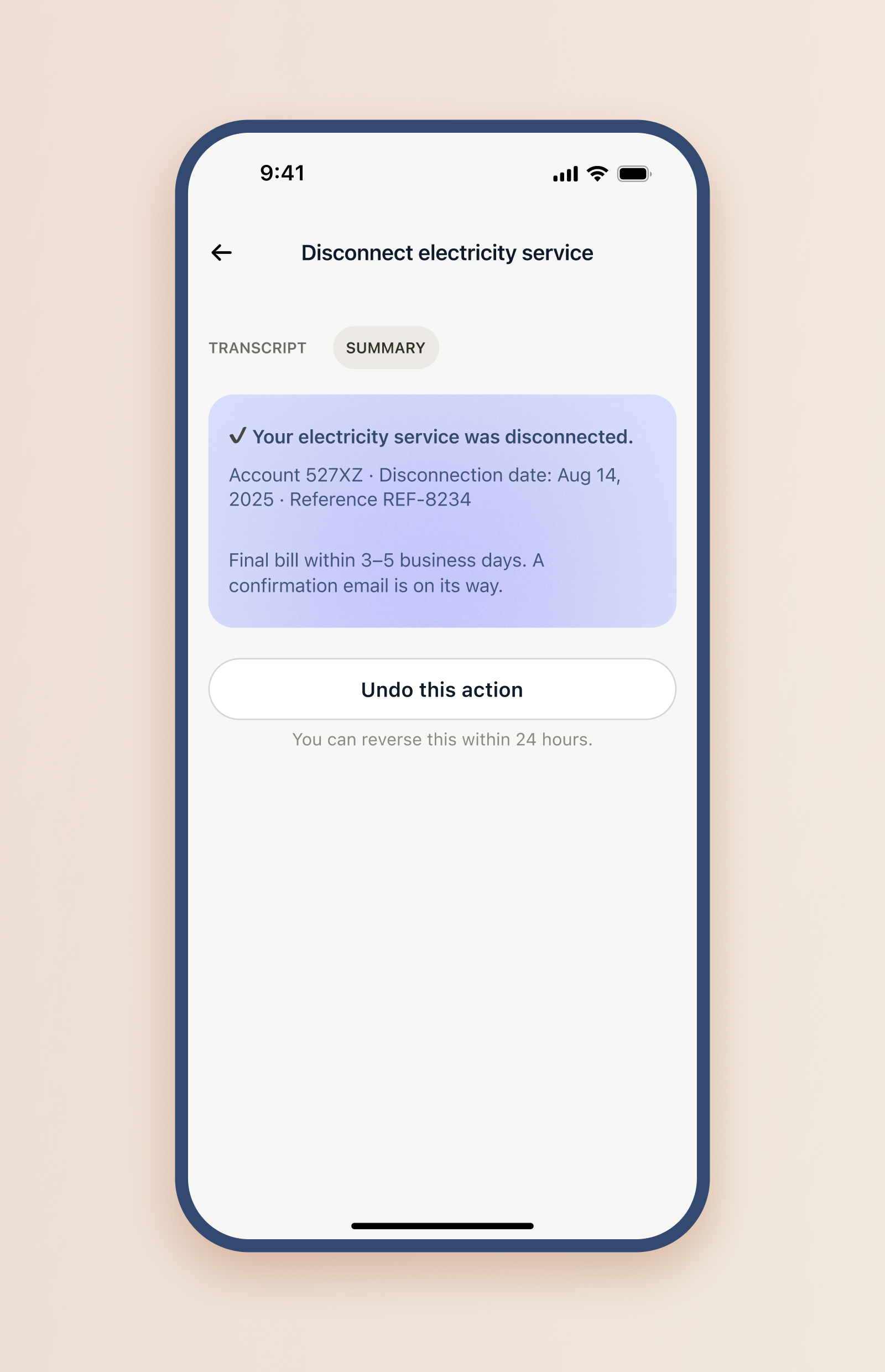
Once I split status by who each task waits on, the system fell into place. Waiting on you for a document is Awaiting info. Waiting on you for a green light is Ready to call. Waiting on the clock is Scheduled, waiting on the agent is In progress, waiting on you to decide again is Retry needed, and finished is Completed or Failed.
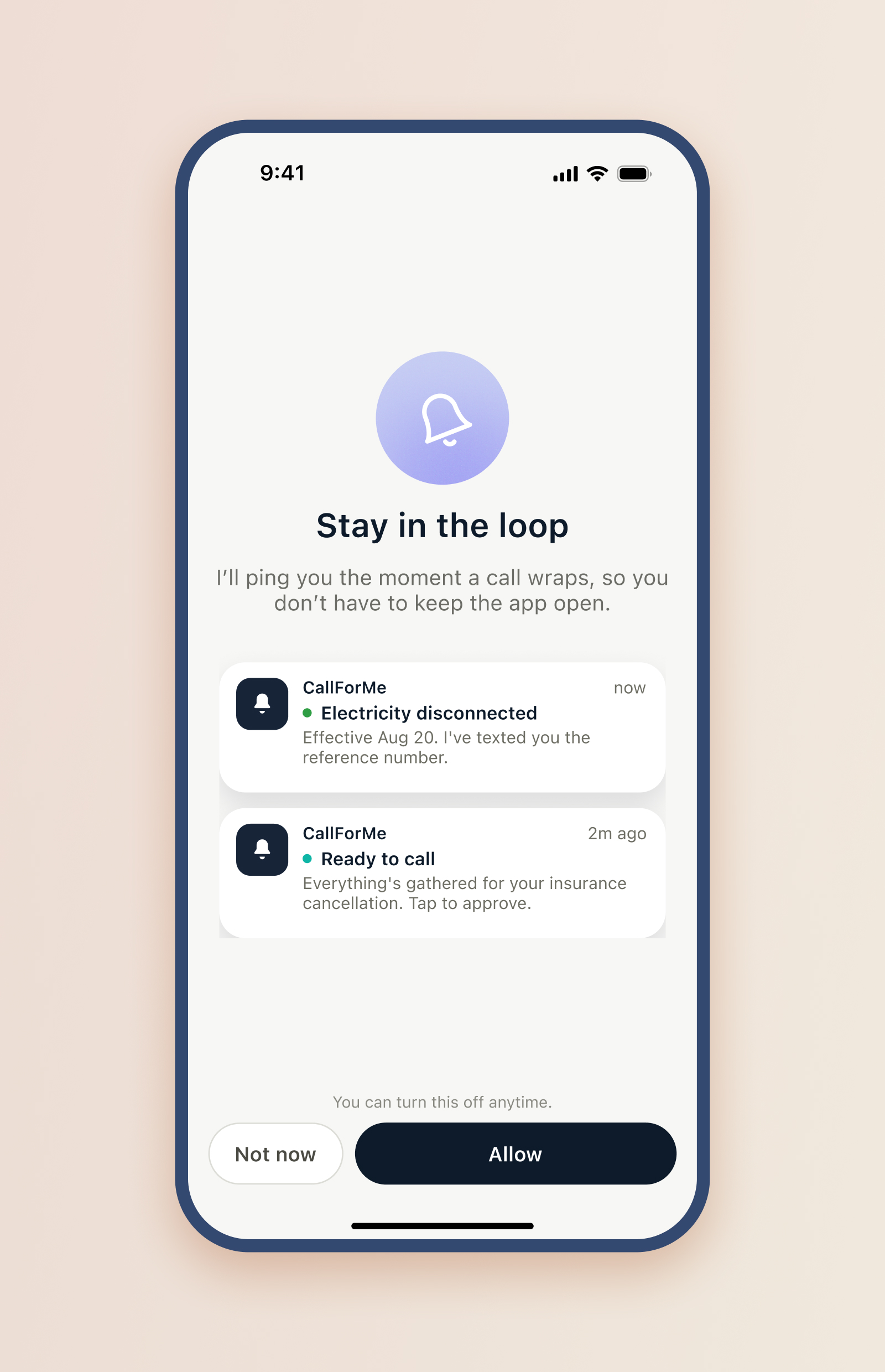
The catch is that there are two different kinds of waiting on you, and collapsing them is what breaks trust. Needing a document is not the same ask as needing permission. Naming that split is the design work. Ready to call is the heart of it: not a fleeting internal step but a resting state, the checkpoint where the agent has gathered everything and the only thing left is your go-ahead.
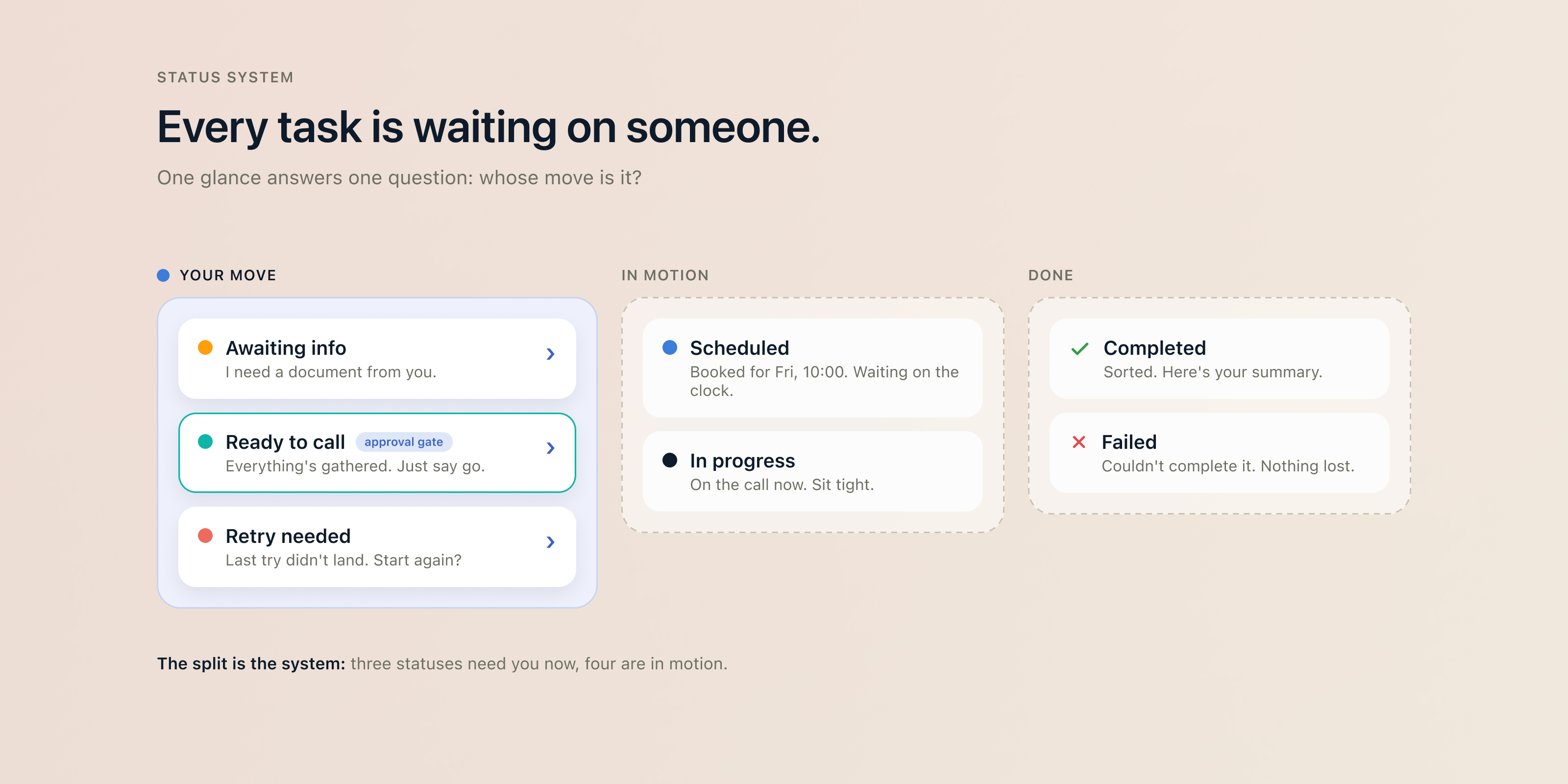
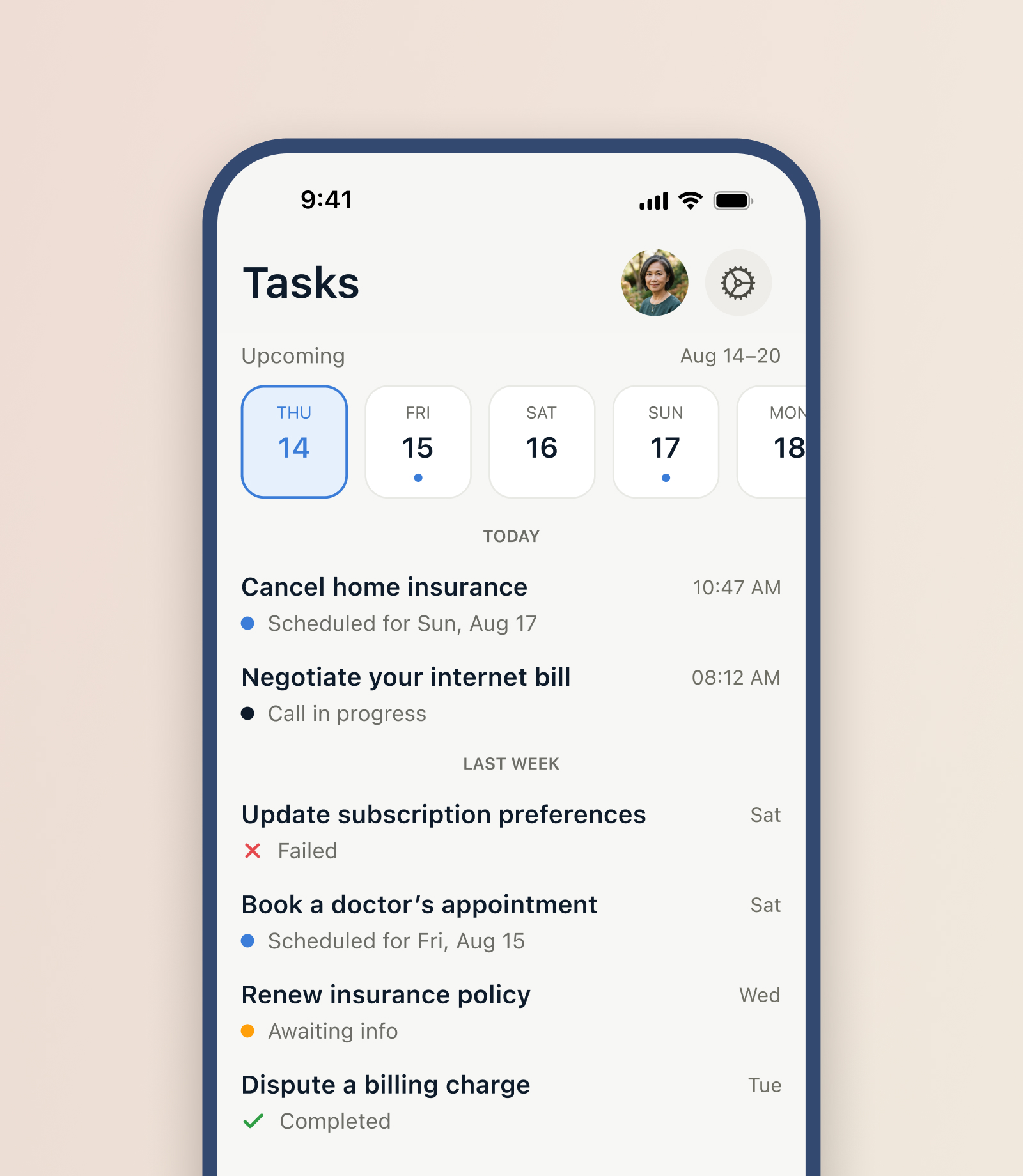
To read it at a glance, the statuses group into two families. Needs you now, Awaiting info, Ready to call, Retry needed, carries a chevron that means there is an action here for you. In motion and done does not. A round dot marks a task still in play, a bare check or cross marks the two that have concluded. One look at the inbox tells you whether it is your move.
A real-time agent that phones a stranger, holds a conversation, and can fail halfway is a hard system long before it is a screen. The calls ran on Twilio, real telephony, so this was a live agent on a real line, not a demo. Working with the senior engineers building it, I learned where the technical edges were and let them shape the design instead of pretending they weren't there. Getting the agent cleanly through a provider's phone tree, the IVR menus and the hold music, was its own hard problem the team had to solve.
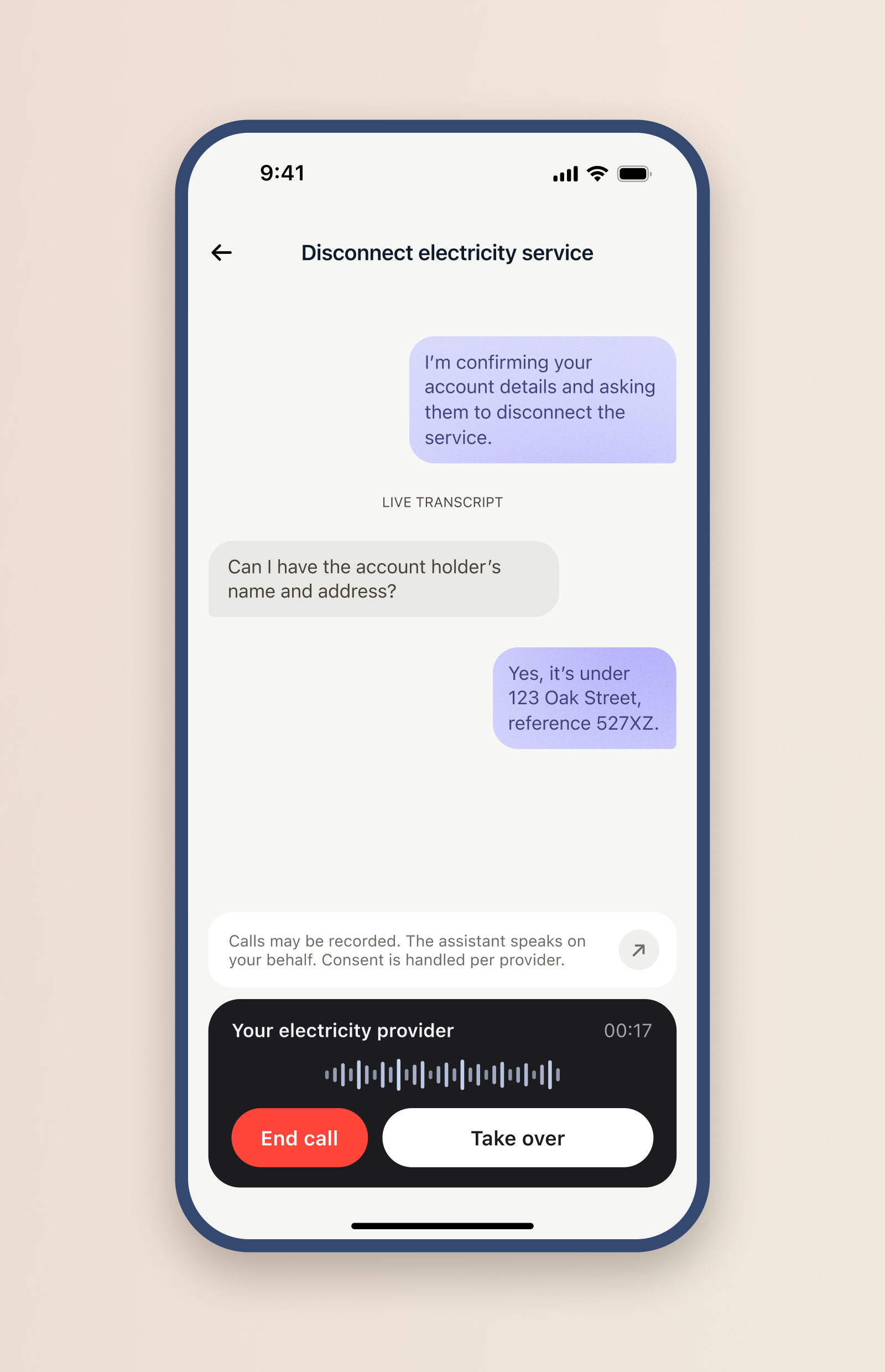
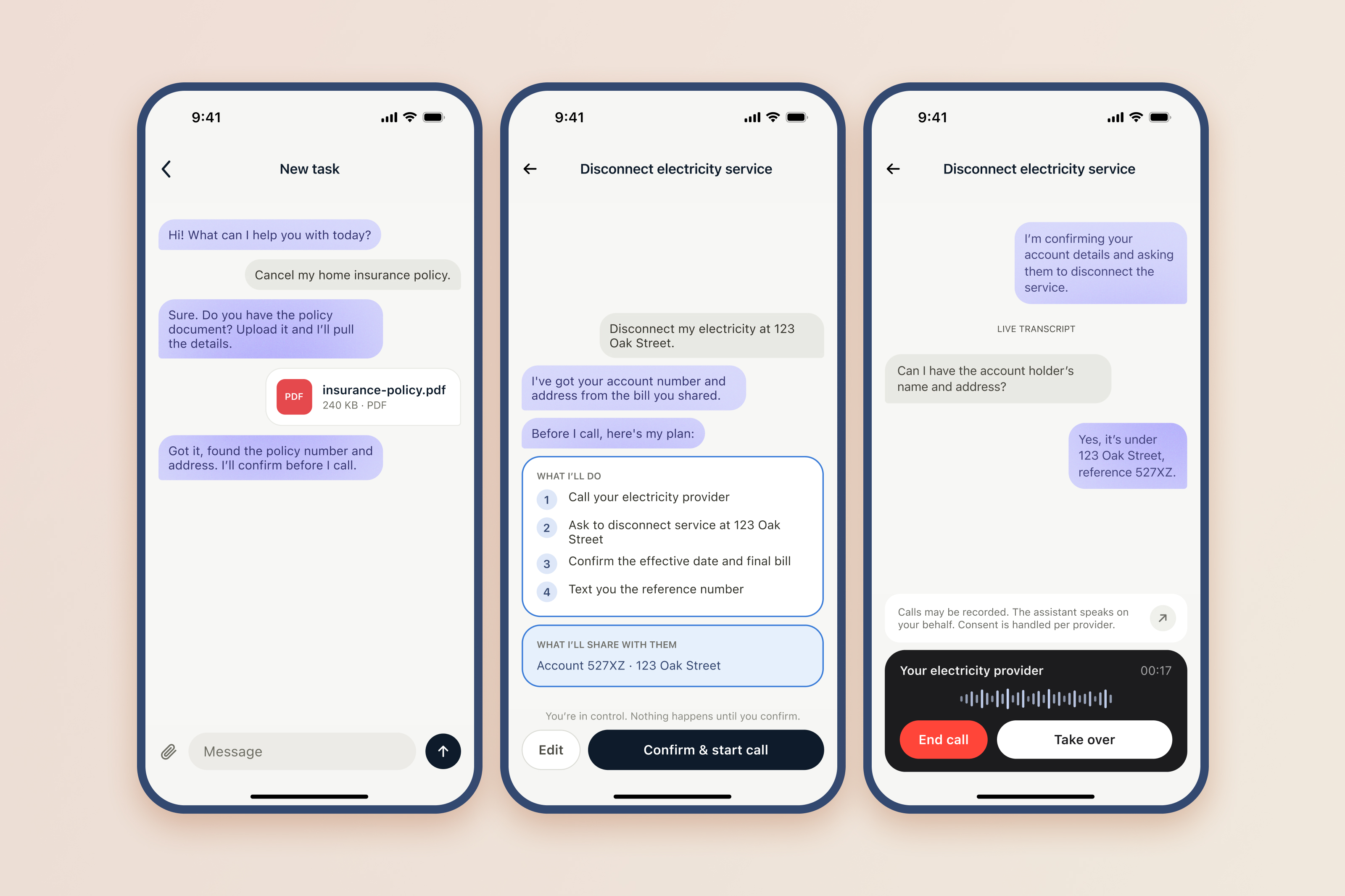
The place design and architecture met was the status model. Scheduled, in progress, retry needed, failed, completed are not just labels for the person, they are the real states the system moves through, and ordinary screen-flow diagrams could not hold that, because they show screens, not states. So I mapped the task lifecycle as states and transitions, and that map is what the team aligned on for when and why a task changes status. Naming the states for the user and modelling them for the system was one job, done once. The live call carries it through: "In progress" is backed by a running transcript, and "Take over" is a real handoff, the person stepping onto the line the agent is holding.
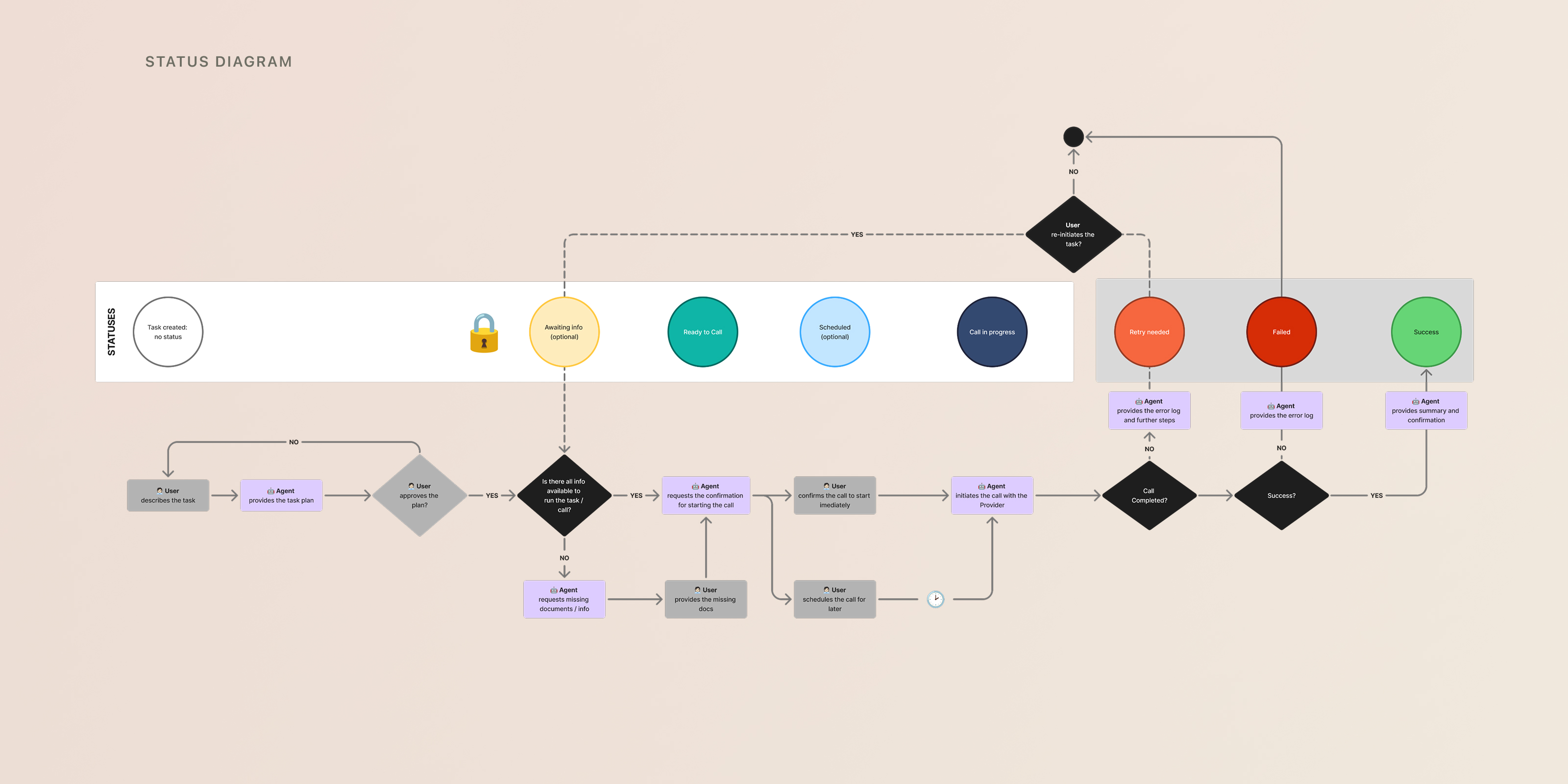
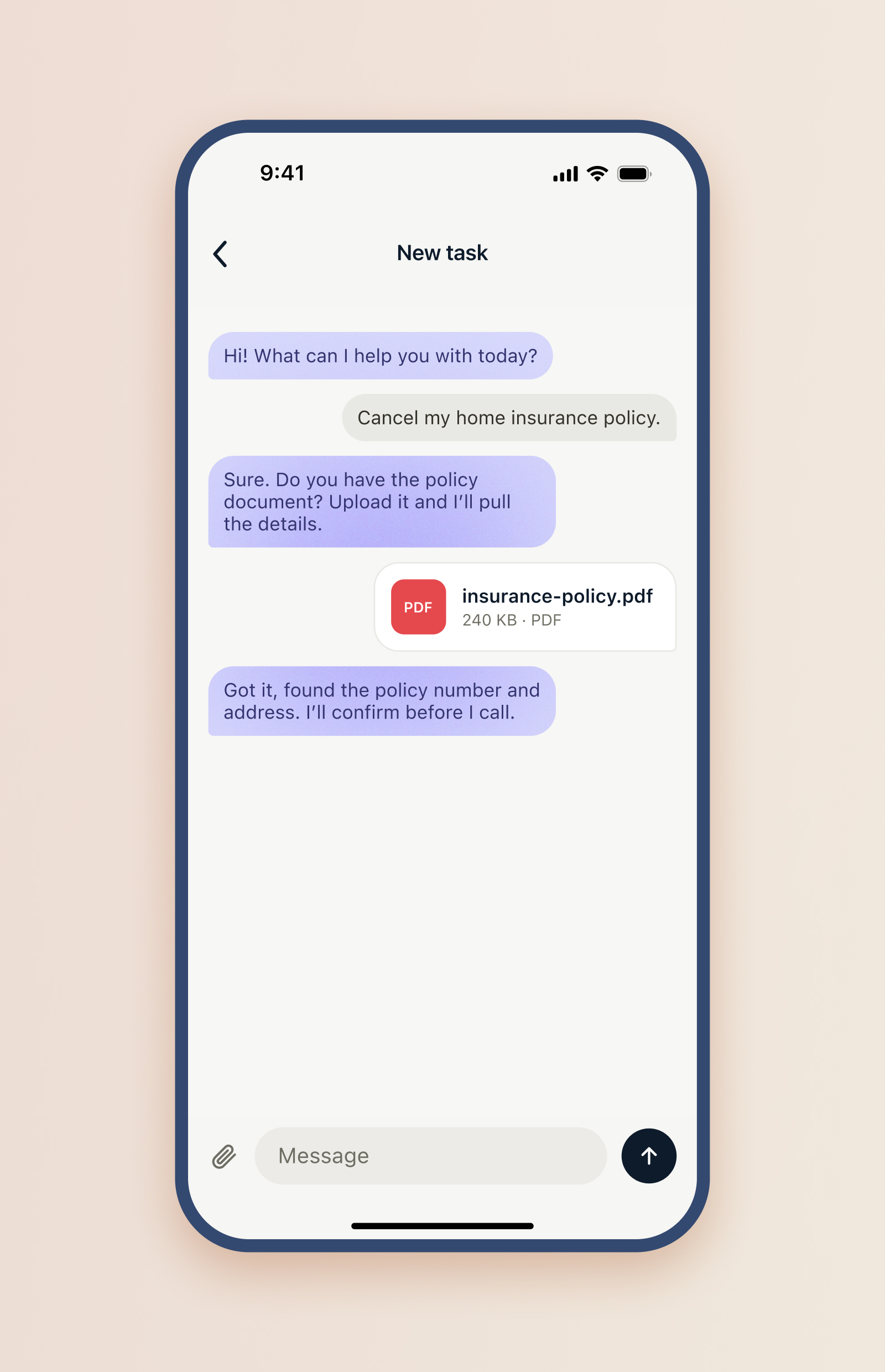
The conversation itself runs the same way. Behind the chat sits a pipeline of specialized models: one clarifies what the task is and which provider it targets, the next gathers the specific details the call will need. Those two stages are exactly the two gathering moments the person sees, first the task gets named, then it waits in Awaiting info until the checklist is full. The status a person reads is the stage the system is in.
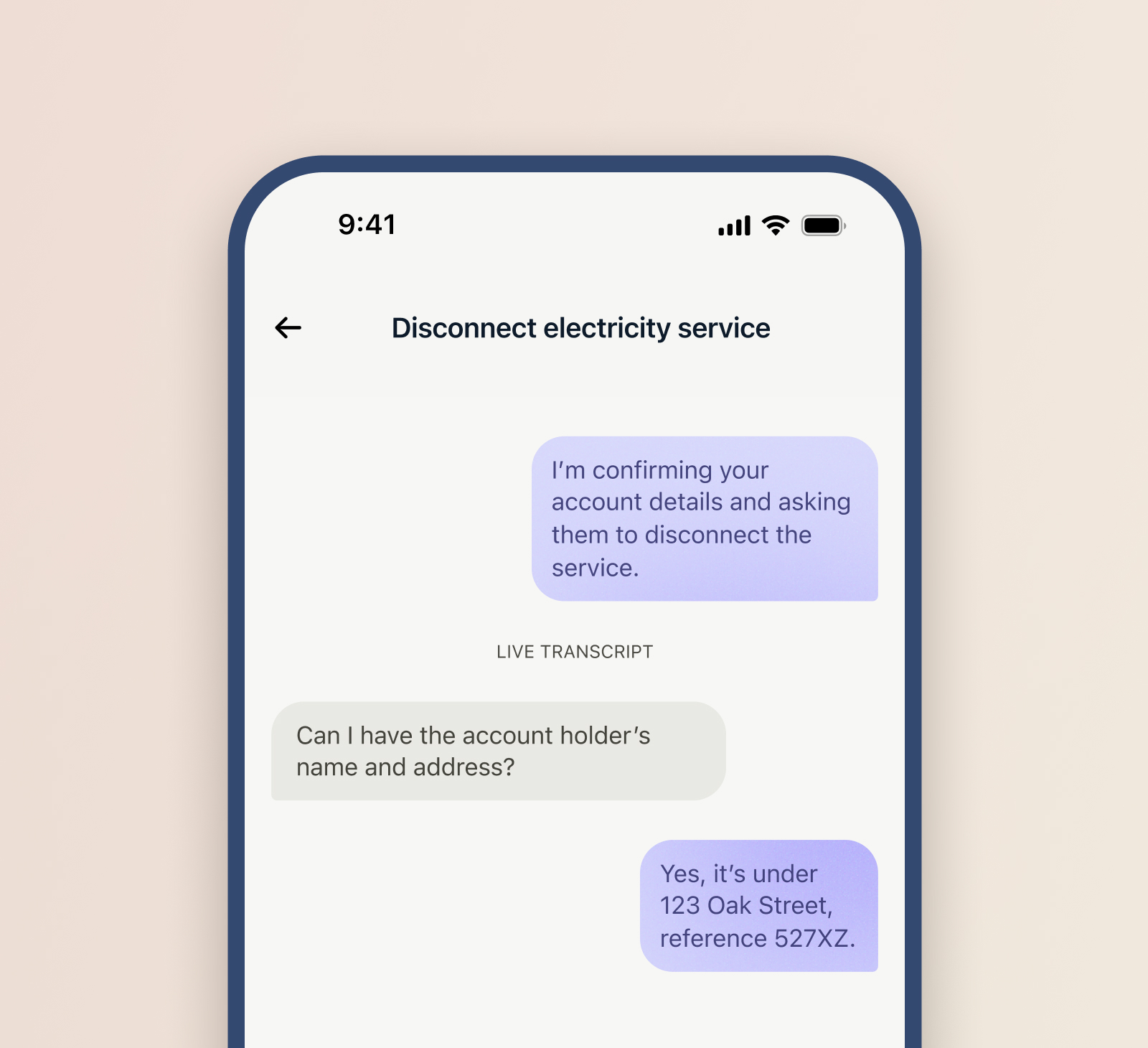
In a call there are three parties: you, the agent speaking for you, and the provider on the line. The interface can never let them blur. The agent speaks on your side, so its messages sit on the right in violet. The provider sits on the left in neutral grey. Violet means the agent is speaking. Blue, kept strictly separate, means your own choice, a selected day, a picked option. Two jobs, two colours, never mixed. I wrote this problem up on its own, on why a three-party interface has to answer "who is talking now" before it answers anything else.
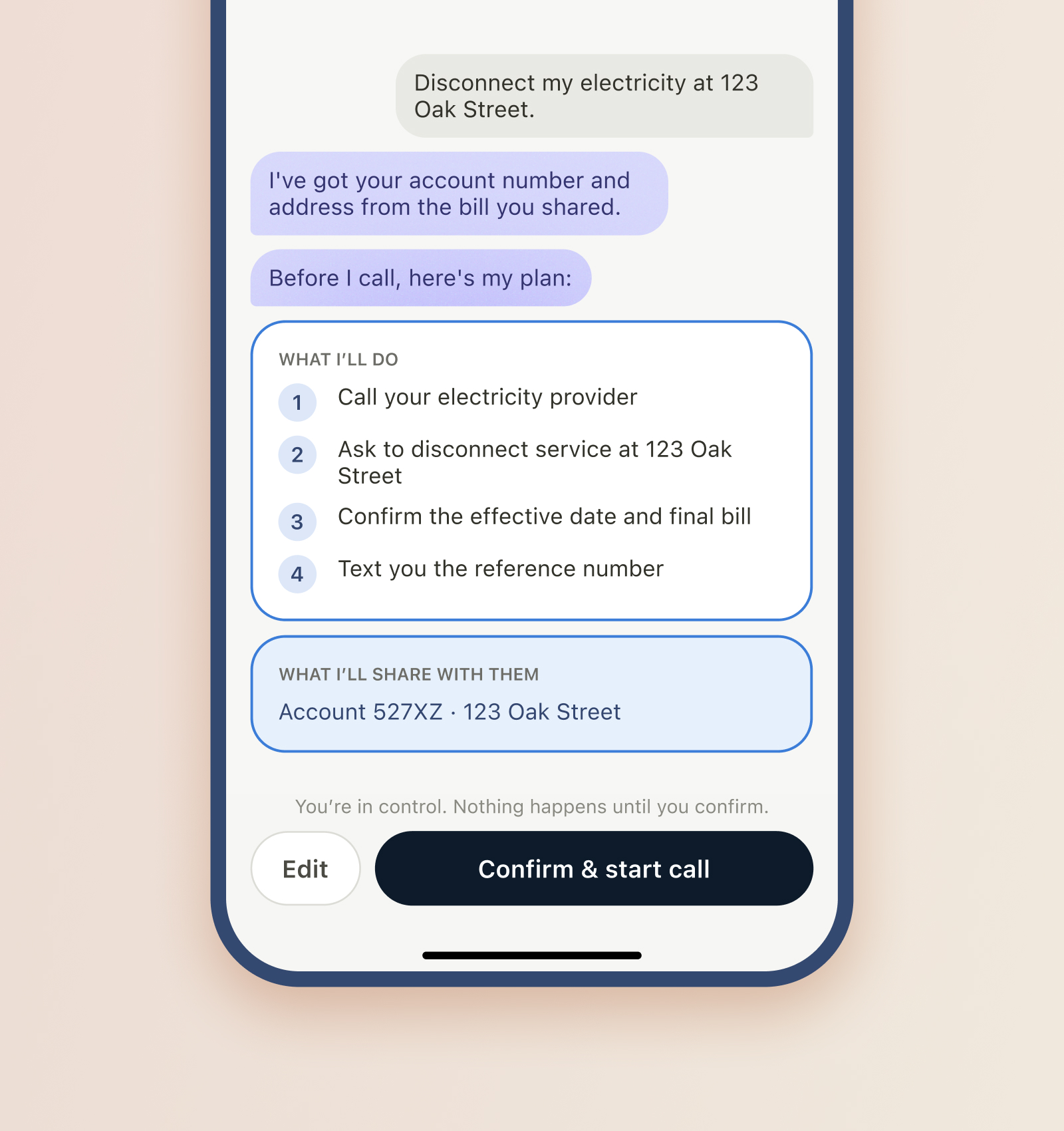
The moment you approve a call is not a form that appears from nowhere. It is the next thing the agent says. The chat gathers the documents, names the task, then lays out its plan as a message, and the Ready to call gate sits at the bottom of that same thread. The agent never dials until you confirm. Approval reads as a continuation of the conversation you were already having, because that is what it is.
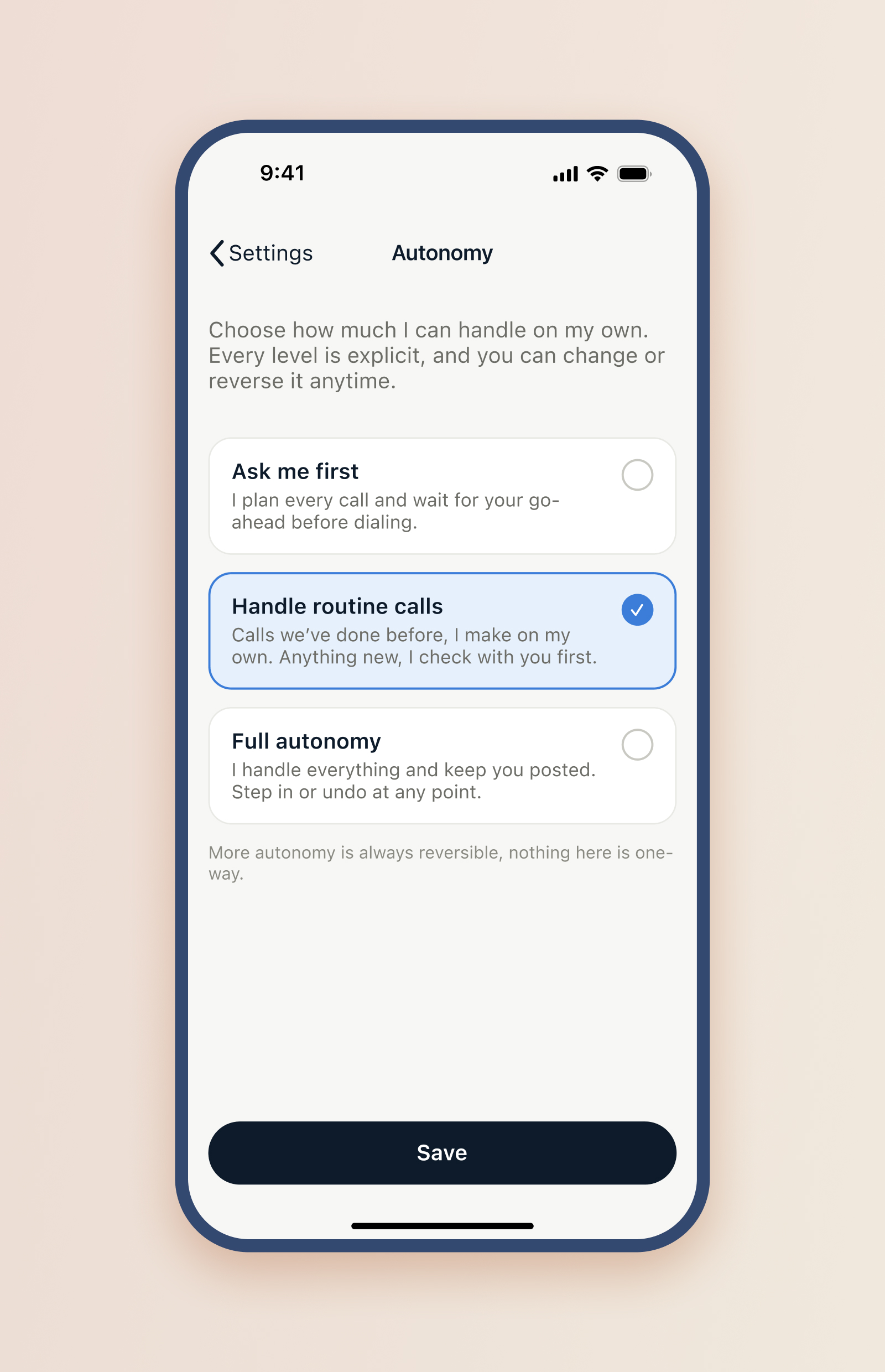
One dial decides how often the agent stops for you. At "Ask me first" every task passes through the Ready to call gate. Higher up, the agent skips the gate on routine calls and just handles them. Status is downstream of that setting, so the person tunes how much oversight they want and the status column changes to match. Trust is not a promise in the copy, it is a control.
All of this reads as one product only if the parts agree. I built a design system and a UI kit that pin down the pieces the case leans on: the status markers and what each one means, the provenance colours, the chat bubbles, the buttons in every state, the type ramp, the day strip. The specimen is not a coat of paint. It is the contract that keeps every screen, and every engineer, telling the same story.
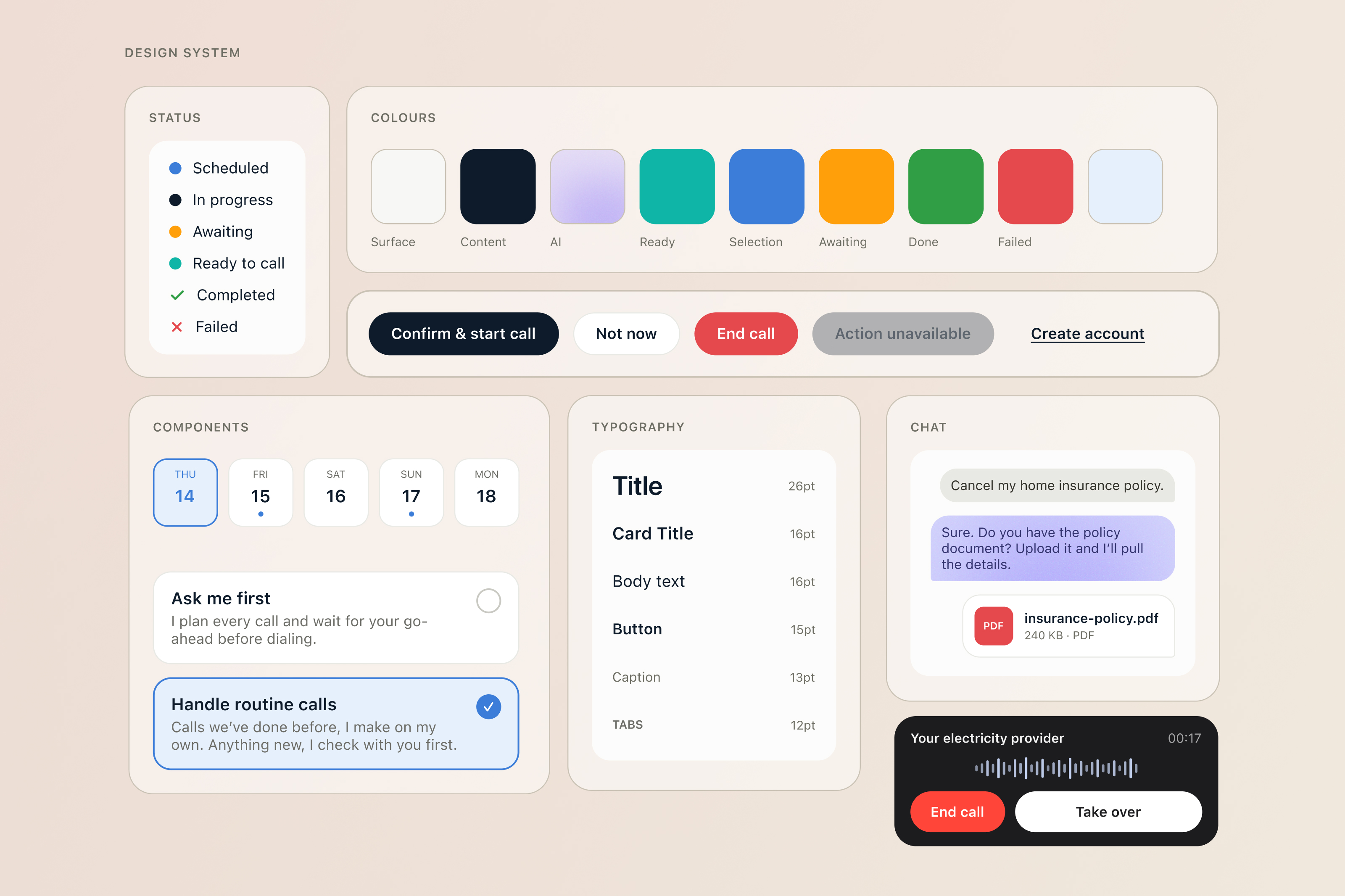
A status system is usually treated as labels you add once the product works. Here it was the load-bearing wall. It decided whether a person could hand off a real task and stay in control, or hand it off and lose track of it, and it doubled as the state model the engineers built on. The visible output was the screens. The real design was a model, whose move is it, made legible enough that neither the person nor the system has to guess.
So here is the question for anyone building an agent that acts for someone. When your product does the work, does the person still know whose move it is?